Having Payment Verification Issues on DHgate? This should help!
My Payment is Not Processing on DHgate: Troubleshooting & Solutions
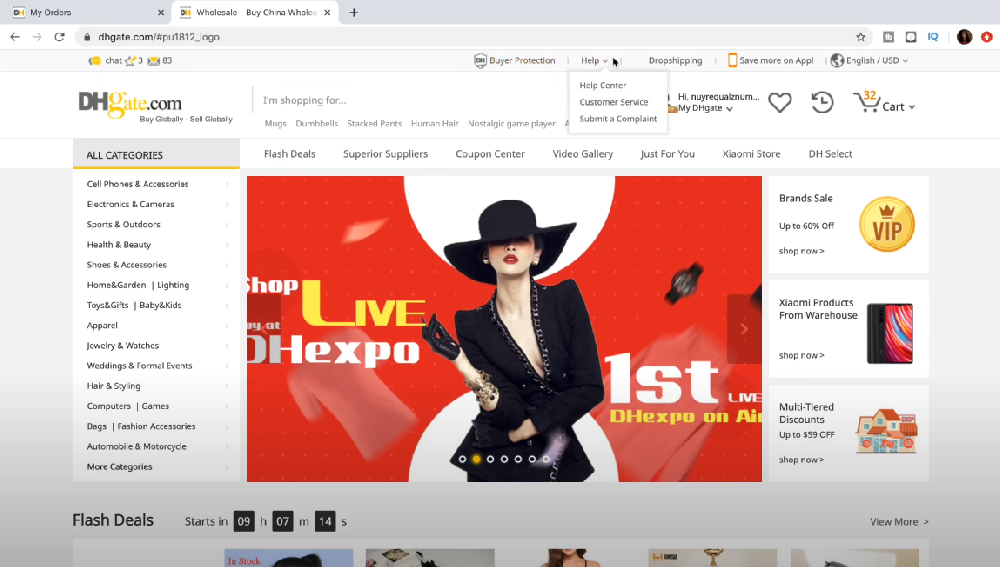
If you've ever been shopping on DHgate and found that your payment isn't processing, you're not alone. It’s frustrating when you’ve found the perfect deal and are ready to click "buy now," only for your payment to not go through. Whether you’re a seasoned DHgate shopper or new to the site, these issues can be incredibly annoying. But don’t worry—before you throw your computer out the window, let's walk through some common causes and solutions to get that payment processed.
1. Common Reasons Why Your Payment Might Not Be Processing
Let’s start by identifying some of the most frequent culprits when payments don’t go through on DHgate.
1.1 Payment Method Issues
Credit/Debit Card Problems: Your card might be expired, over the limit, or the bank might be blocking the transaction. Some banks may even block international transactions by default for security reasons.
PayPal Restrictions: PayPal accounts that are not verified or have insufficient funds could be the issue. Also, if PayPal detects unusual activity, they might put a hold on your payment.
Unsupported Payment Method: DHgate accepts several payment methods (Visa, MasterCard, PayPal, etc.), but not all are available in every region. If you’re using a less common payment method, it might not be supported.
1.2 Billing Information Mismatch
This is one of the most common reasons payments fail. If your billing address or the name on your card doesn’t match what DHgate has on file, the payment won’t go through.
1.3 Network/Server Issues
Sometimes, the problem isn’t on your end. DHgate’s server might be temporarily down or experiencing high traffic, which can cause delays in processing payments. This can happen, especially during peak shopping times like sales or promotions.
1.4 Currency Conversion Issues
If you’re shopping internationally, your bank or payment processor may not handle the currency conversion correctly. The payment processor might block the transaction if there’s an issue with the conversion rate or a mismatch in the expected payment currency.
2. How to Fix Payment Processing Issues on DHgate
Now that we’ve figured out what might be causing the problem, let’s look at the solutions. These steps will help you get your payment back on track so you can finish that purchase without tearing your hair out.
2.1 Check Your Payment Method Details
Before anything else, make sure that your payment method is valid and up-to-date.
Credit/Debit Cards: Double-check the expiration date, CVV number, and billing address. Your bank may have put a temporary hold on your card, so call them to ensure everything is good to go.
PayPal: Make sure your PayPal account is verified, and that you have sufficient funds. Also, check if your account has any restrictions that might prevent a successful transaction.
2.2 Use a Different Payment Method
If one payment method isn’t working, try using a different one. DHgate accepts multiple payment methods, so you might want to switch to PayPal, or use a different credit card or debit card.
Try PayPal: If you’re using a credit card, and it's not working, PayPal may provide an alternative route.
Consider Prepaid Cards: Some users have found success using prepaid debit cards, which you can load with funds in advance.
2.3 Verify Your Billing Information
Ensure that the name, address, and other billing details are entered exactly as they appear on your payment method. Even small discrepancies can cause payment issues.
If you’re using a different address for shipping, make sure the billing address matches the one your bank has on file.
2.4 Clear Your Cache or Use a Different Browser
Sometimes, the issue can be something as simple as a browser glitch. Here are a few things to try:
Clear your browser cache: Old cached data might be causing conflicts with your payment process.
Try Incognito Mode: Using your browser's incognito/private mode can help bypass some of the issues caused by extensions or cookies.
Switch Browsers: If you're using Chrome, try Firefox or vice versa.
2.5 Check for DHgate Server Issues
If everything looks good on your end, it’s worth checking if DHgate is having any server issues.
Visit DHgate’s Official Social Media Accounts: Look for updates on possible outages or delays.
Contact DHgate Support: If there’s a known issue, they’ll let you know. You can also contact them directly to troubleshoot further.
2.6 Wait and Try Again Later
If it’s a server-side issue or if there’s a spike in traffic (hello, sales season), sometimes the best solution is simply to wait.
Try Again Later: Servers can get bogged down during peak hours. If possible, try making the payment at a less busy time.
3. When All Else Fails: Contacting Customer Support
If none of the above solutions work, it’s time to reach out to DHgate’s customer support team. Don’t worry, they’re there to help!
Live Chat: DHgate has a live chat feature that can help answer your questions in real time.
Email: You can also email DHgate’s support team with a detailed explanation of the problem.
Phone Support: Some regions also offer phone support if you prefer speaking directly to a rep.
When reaching out, make sure to have your order number, payment method details, and any error messages you’ve received handy.
4. Quick Troubleshooting Checklist
Here’s a quick checklist you can follow to troubleshoot your payment issue:
| Issue | Solution |
|---|---|
| Payment method not working | Check card details, use an alternative method like PayPal. |
| Billing address mismatch | Ensure billing info matches what’s on file with your bank. |
| Browser problems | Clear cache, use incognito mode, or try another browser. |
| Server or network issues | Wait for a few hours and try again or contact DHgate support. |
| Currency conversion issues | Double-check with your bank about the transaction. |
5. Final Thoughts: Don’t Let a Payment Hold Ruin Your Day
We’ve all been there – waiting to buy something only to get stuck on a payment issue. But rest assured, these problems are usually pretty easy to fix. By following the steps above, you can get back to shopping without too much hassle.
And remember, next time you find yourself stuck, take a deep breath, grab a coffee (or maybe a snack), and try again. It’s just a little bump in the road, and before you know it, you’ll be receiving your DHgate order at your doorstep. Happy shopping!